Unlock Your Creative Potential with the Storyboard Journal
What Is the Storyboard Journal?
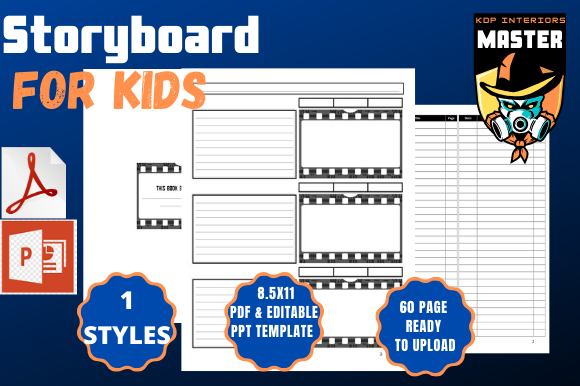
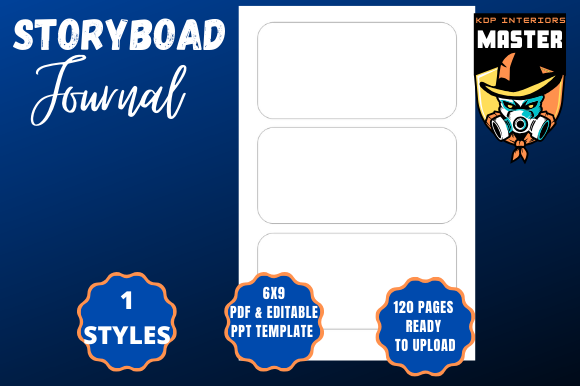
The Storyboard Journal is a powerful, flexible tool designed for creators, professionals, and entrepreneurs who want to visualize, plan, and develop their ideas efficiently. Whether you're crafting a film, designing a product, or mapping out a business strategy, this 120-page PDF template offers a structured yet customizable canvas to bring your vision to life. Designed with creative flexibility in mind, it’s ideal for use in a variety of low-content publishing formats, especially on platforms like Amazon KDP.
Why Use the Storyboard Journal?
The beauty of the Storyboard Journal lies in its simplicity and adaptability. Unlike rigid templates that limit creativity, this journal empowers users to sketch, write, and organize thoughts in a way that feels natural and intuitive. With professionally designed pages and the ability to edit using Microsoft PowerPoint, you’re not just getting a static template — you’re gaining a dynamic tool that evolves with your project.
Key Features of the Storyboard Journal
- 120-page interior PDF ready for immediate upload to KDP or other print-on-demand platforms.
- PowerPoint editable templates for full customization of layout, fonts, colors, and design elements.
- Trim size of 6x9 inches — a popular format for journals, planners, and creative notebooks.
- Easy duplication of slides for consistent formatting across pages.
- Customizable color schemes and shapes to match your brand or personal style.
- Support for black paper interiors, ideal for dark-mode design preferences or unique publishing aesthetics.
- Ability to import personal data from your PC or Mac, allowing you to integrate your own visuals or notes seamlessly.
How the Storyboard Journal Enhances Creative Workflows
One of the standout benefits of using the Storyboard Journal is its compatibility with PowerPoint. Unlike static PDFs or restrictive design tools, PowerPoint offers a user-friendly environment where you can:
- Edit individual pages quickly and efficiently.
- Customize fonts, colors, and shapes to suit your project’s tone.
- Save your work as a full PDF or export individual pages as needed.
- Insert or import slides from other PowerPoint files to streamline your design process.
This flexibility makes it especially valuable for creators who want to maintain a cohesive visual style while adapting their content for different platforms or audiences.
Real-World Applications of the Storyboard Journal
Whether you're a filmmaker, a product designer, a marketing strategist, or a content creator, the Storyboard Journal can be a game-changer. Here are a few real-world scenarios where this tool shines:
- Film and animation production: Plan out scenes, shot compositions, and transitions with clarity and precision.
- Product development: Visualize product iterations, user flows, and interface mockups before building a prototype.
- Business strategy: Map out presentations, business plans, or customer journey maps with visual storytelling.
- Content creation: Organize blog posts, YouTube scripts, or social media campaigns with visual outlines.
- Education and training: Design course materials, lesson plans, or instructional guides with visual aids.
Who Should Use the Storyboard Journal?
The Storyboard Journal is ideal for a wide range of users, including:
- Creative professionals such as filmmakers, designers, and illustrators.
- Entrepreneurs launching new products or services and needing to visualize their plans.
- Writers and authors developing story structures or plot outlines.
- Business strategists who rely on visual planning tools to communicate ideas effectively.
- Students and educators looking for a structured way to organize learning materials.
Its adaptability ensures that it can be tailored to fit the needs of virtually any creative or professional project.
Why Add This Storyboard Journal to Your Low-Content Book Library on KDP?
If you're an Amazon KDP publisher or aspiring to become one, adding the Storyboard Journal to your library is a smart move. Here's why:
- Ready-to-upload PDF — no need to design from scratch. Simply download and publish.
- High demand for planning tools among creatives, students, and professionals.
- Easy customization means you can brand the journal as your own and offer variations.
- Scalable publishing — create multiple versions (e.g., themed editions, industry-specific templates) to expand your product line.
- Low overhead, high margin — no printing or shipping costs, and minimal time investment once the template is set up.
Things to Consider Before Using the Storyboard Journal
While the Storyboard Journal is incredibly versatile, there are a few considerations to keep in mind:
- Basic PowerPoint knowledge is helpful — while not overly technical, some familiarity with the software will enhance your experience.
- Editing can be time-consuming if you're making extensive changes across all 120 pages.
- Not a cover template — this download includes only the interior pages, so you’ll need to create or purchase a cover separately.
- File size and formatting may require optimization before uploading to KDP to ensure compatibility and print quality.
Maximizing the Value of the Storyboard Journal
To get the most out of the Storyboard Journal, consider the following tips:
- Create a master template in PowerPoint so you can reuse layouts and styles across multiple projects.
- Use layers and grouping features to manage complex designs without losing clarity.
- Save individual pages as separate PDFs for use in digital marketing or as sample previews.
- Offer bundled products — pair the journal with a companion guide, checklist, or printable resources.
- Test print a sample before publishing to ensure the layout and bleed (or lack thereof) meet your expectations.
Final Thoughts: Is the Storyboard Journal Right for You?
If you're looking for a reliable, customizable, and professional-grade planning tool, the Storyboard Journal is an excellent choice. Whether you're using it for personal projects or publishing on KDP, its combination of design flexibility and ease of use makes it a standout product in the low-content book market. With the ability to edit in PowerPoint and the freedom to tailor every page to your needs, this journal is more than just a template — it's a foundation for your next big idea.
So, Add this hot Storyboard Journal to your low-content book library on KDP today, and start creating content that resonates, inspires, and sells.