Sketchbook KDP Interior: Your Creative Canvas for Print-On-Demand Publishing
Creating a print-on-demand book has never been easier, especially with tools like Sketchbook KDP Interior. This ready-to-use interior template is designed specifically for Amazon KDP, making it a go-to resource for creators who want to publish high-quality sketchbooks, journals, or workbooks without the hassle of formatting from scratch.
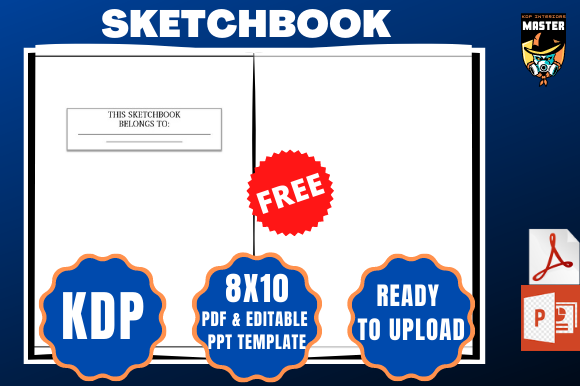
Whether you're an artist, educator, entrepreneur, or hobbyist, this 100-page interior template comes with bleed settings enabled and is sized at 8×10 inches—perfect for a variety of creative and professional uses. With a downloadable PDF and Powerpoint file included, you get both a print-ready layout and a flexible design tool to customize your interior content.
How Sketchbook KDP Interior Fits Into Real-Life Creative Workflows
Let’s say you’re a digital artist who wants to offer a physical sketchbook version of your brand. Instead of designing every page manually, you can drop your preferred layouts, prompts, or branding elements into the provided Powerpoint file. Once you’re satisfied, you convert it to PDF and upload it directly to KDP. That’s the kind of time-saving power this template offers.
Another scenario: you’re a teacher creating a custom workbook for your students. You can use the template to insert writing prompts, drawing spaces, or note sections tailored to your curriculum. Since the pages are already set up to meet KDP’s print requirements, you avoid common formatting errors that lead to rejections or poor print quality.
Why Different Users Choose Sketchbook KDP Interior
Here’s a look at how various users benefit from this interior template:
- Artists and Designers: Use the blank pages to create themed sketchbooks or guided drawing journals. The bleed settings ensure your artwork extends to the edge of the page without white borders.
- Writers and Journalers: Whether it’s for bullet journaling or creative writing prompts, the structured layout helps maintain consistency across all pages.
- Educators: Build custom lesson books, activity guides, or student planners with ease. The 8×10 size is ideal for including diagrams, charts, and writing space.
- Entrepreneurs: Launch your own line of branded journals or planners without hiring a designer. The template gives you a professional layout you can customize and scale.
- Hobbyists: Create personal project books, travel journals, or recipe notebooks that look polished and print-ready.
When and Where to Use This Template
Sketchbook KDP Interior shines in both digital and physical environments. If you're designing from scratch in Canva or Illustrator, you can import the PDF as a base layout to ensure your pages meet KDP specifications. If you're more comfortable using Powerpoint, you can easily add images, text boxes, or design elements without worrying about margins or bleed zones.
It’s also ideal for users who sell digital downloads or physical books on platforms like Etsy, Shopify, or Gumroad. You can create a downloadable version of your workbook or sketchbook and simultaneously offer a print version through Amazon KDP—maximizing your reach and revenue streams.
What to Consider Before Using This Interior Template
While the Sketchbook KDP Interior is user-friendly, there are a few things to keep in mind before diving in:
- Know Your Audience: Are you creating a minimalist sketchbook or a heavily formatted workbook? The template gives you flexibility, but your content should match the expectations of your readers or buyers.
- Test Your Layout: Always preview your PDF before uploading to KDP. Make sure all images are high resolution and text is legible, especially if you’re using light fonts or intricate backgrounds.
- Understand KDP Guidelines: Although the template is already set up with bleed and correct dimensions, double-check Amazon’s current requirements to avoid surprises during upload.
- Keep File Size in Check: High-resolution images or embedded fonts can increase file size. Optimize your PDF for web use to ensure smooth uploads and faster processing.
- Think About Branding: Use the Powerpoint file to insert your logo, website, or social media handles on the first or last page. This helps build recognition and drive traffic.
Real-World Results from Using Sketchbook KDP Interior
Many creators have successfully launched their own print-on-demand products using this kind of interior template. One example is a freelance illustrator who used the layout to publish a series of themed sketchbooks for travelers. She customized the cover separately and used the interior template to ensure every page was print-ready. Within a few months, her books were selling steadily on Amazon and through her personal website.
Another case involved a small business owner who created a branded productivity planner for clients. Using the Powerpoint version, she added her company’s color scheme, motivational quotes, and weekly planning pages. She uploaded the final PDF to KDP and offered it as a free gift with purchases on her site. The result? Higher engagement and customer satisfaction.
Final Thoughts: Is Sketchbook KDP Interior Right for You?
If you're looking to publish a sketchbook, journal, workbook, or planner through Amazon KDP, the Sketchbook KDP Interior is a practical, time-saving solution. It removes the technical hurdles of formatting while giving you the creative freedom to design the interior that best suits your vision.
Whether you're a seasoned creator or just starting out, this tool helps you focus on what matters most: your content and your audience. And with a clean, print-ready layout already in place, you're one step closer to launching a professional-quality book that stands out.