Half Graph 4 Half Wide: A Practical Guide for Smart Content Creators
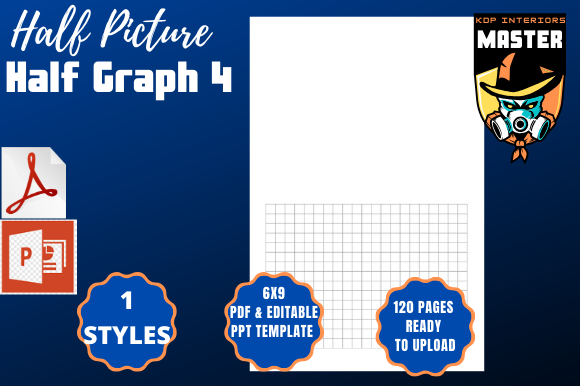
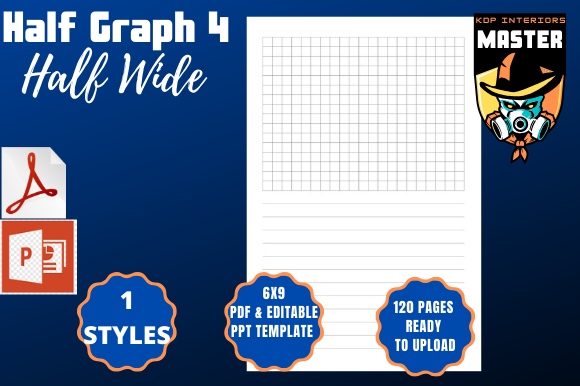
For anyone building visual content—whether for reports, presentations, or self-published books—the Half Graph 4 Half Wide template offers a clean, professional solution. Designed for Amazon KDP and similar platforms, this 6×9-inch layout with 120 pages gives creators a ready-to-use structure that simplifies formatting while maintaining visual appeal. But like any tool, it requires thoughtful use to get the most value.
Why People Choose Half Graph 4 Half Wide
Many users are drawn to Half Graph 4 Half Wide because it combines a clean, half-page graph layout with the flexibility of a 6×9-inch format. This makes it ideal for:
- Note-taking with space for both writing and drawing
- Self-publishing journals, planners, or workbooks
- Creating structured content without starting from scratch
With instant download in PDF and PPT formats, it's a convenient option for creators who want to focus more on content than formatting. However, not everyone uses it effectively right away.
Common Mistakes When Using Half Graph 4 Half Wide
Despite its user-friendly design, several pitfalls can reduce its effectiveness. These are the most common issues:
1. Overlooking Bleed Settings
One of the most overlooked features is the bleed setting. While Half Graph 4 Half Wide comes with bleed enabled, some users either disable it or don't account for it when placing text or graphics near the edge. This can lead to awkward white borders or cut-off content when printed.
Better approach: Always preview your file with bleed enabled and keep important text and visuals at least 0.125 inches away from the edge.
2. Misjudging Page Count
With 120 pages, it’s easy to assume you have plenty of space. But if you're creating a journal or workbook, page count can disappear quickly depending on how you use each spread.
Example: If you use one graph page and one blank page for each section, you’re effectively cutting your usable pages in half. This can result in a thinner final product than expected.
Better approach: Plan your layout ahead of time and consider how much space each section will take. Use the included PPT file to visualize your flow before finalizing content.
3. Ignoring File Compatibility
While the PDF is ready for KDP upload, some users try to edit it in incompatible software, leading to formatting issues. The PPT version is ideal for editing, but only if you use compatible versions of PowerPoint or similar tools.
Better approach: Stick to Adobe Acrobat for PDF adjustments and Microsoft PowerPoint or compatible editors for the PPT file. Avoid using free online converters unless you’re prepared to fix any layout shifts manually.
What to Check Before Uploading to Amazon KDP
Even though Half Graph 4 Half Wide is labeled as “100% ready for KDP,” there are a few final checks you should perform:
- Margins: Ensure your text doesn’t get cut off in the inner margins due to gutter space.
- Image Resolution: If you add images, make sure they’re at least 300 DPI for print quality.
- Font Embedding: Use standard fonts or embed custom fonts to avoid display issues.
- Preview PDF: Always use Amazon’s previewer to check how your file looks on different devices and paper types.
Choosing the Right Template for Your Project
Not every project benefits from a half-graph layout. If your content is mostly text-heavy or requires full-page illustrations, Half Graph 4 Half Wide might not be the best fit. But if your work blends writing and sketching, such as in a creative journal or planning workbook, it’s an excellent choice.
Tip: Review the PPT version first to get a sense of how the layout supports your content style before investing time in customization.
How to Maximize Usability and Presentation
Many users underutilize the template’s potential by sticking to the default layout without customization. While the base design is solid, small adjustments can significantly improve the final product:
- Add a consistent header or footer for branding
- Use alternating page styles to differentiate between sections
- Incorporate color highlights (in digital versions) to enhance readability
These small touches can make your content feel more professional and engaging—especially important for educators, bloggers, or small business owners who want to stand out.
Final Thoughts on Half Graph 4 Half Wide
The Half Graph 4 Half Wide template is a valuable resource for creators who want a polished, print-ready layout without the hassle of designing from scratch. However, understanding its features and limitations helps you avoid common formatting issues and presentation missteps. Whether you're creating a planner, workbook, or notebook, a little planning and attention to detail can ensure your final product looks as good as it functions.
By keeping the above points in mind, you’ll be better equipped to make smart formatting choices and deliver a professional-quality result—every time.